
Complete Guide to Photocuring 3D Printing for Dentistry: Materials · Slicing · Parameters · Post-Processing · Troubleshooting
Part 1 · Resin Selection
Dental resins must never be mixed. Each is engineered for a specific clinical indication; choosing the wrong material often leads directly to restoration failure — or to the case being returned by the client. The basic logic of selection: first lock the indication, then check the key performance metrics, and finally confirm printer compatibility and the supporting workflow. For more technical specifications, check our PRS Dental Resin Ecosystem.
1.1 Select by Clinical Application (with Pairing Recommendations)
- Permanent crowns & bridges: High-filled ceramic resin (e.g., Zonmed PRS-R-01) combines high flexural strength, wear resistance, and low polymerization shrinkage to keep margins sealed long-term; suitable for single units, long-span bridges on removable bases, and 3–5 unit bridges on flexible bases. To shorten polishing time, pair it with the company’s Polymer Glaze Oil for richer layering and a wear-resistant, translucent finish.
- Temporary crowns, bridges & veneers: PMMA-like resins (PRS-R-02, R-06, R-07) balance color stability, easy polishing, and short-to-mid-term flexural strength. Pair with the company’s Polymer Stain (18 colors available) for better layered aesthetics and a wear-resistant, translucent look.
- Surgical guides: Biocompatible, autoclavable resin (PRS-R-11) stays dimensionally stable after sterilization cycles with low deformation at 134 °C; validated across thousands of cases and fully meeting clinical use.
- Models (dies & orthodontic): High-accuracy, cost-effective resins (PRS-R-15 to R-19) balance 50 µm-class precision with throughput; the water-washable model resin is designed for customers without alcohol access and for eco-conscious users.
- Denture bases: Flexible, impact-resistant resin (PRS-R-04, R-05) withstands flexural fatigue in full and partial dentures, tested over 1,000 cases with a service life of up to 2 years. Pair with the company’s Polymer Stain (18 colors) for better layered aesthetics and a wear-resistant, translucent finish. Note: this product is very hard-wearing and rigid — handle with care and do not drop it.
- Clear aligners & night guards: Transparent, biocompatible resin (PRS-R-13, R-14) needs high clarity, low yellowing, and sufficient tear strength; no dedicated secondary UV curing box is required — standard curing suffices, and the company’s Soft Glaze Oil gives even better results.
- Try-in & indirect bonding (IBT): Precise, dimensionally stable resin (PRS-R-03, PRS-R-09) supports accurate seating and the indirect bonding workflow.

1.2 Five Key Metrics When Selecting
- Flexural strength: Determines whether crowns, bridges, and bases can withstand occlusal and insertion/removal stresses; the primary metric for load-bearing restorations.
- Polymerization shrinkage: Lower is better for marginal fit and dimensional accuracy, directly affecting crown/bridge seating and guide fit.
- Biocompatibility class: Devices with long- or short-term intraoral contact must meet the appropriate biocompatibility requirements (e.g., Class I / IIa).
- Color stability & optical performance: Temporary and esthetic restorations value anti-yellowing, stainability, and clarity (aligners, night guards).
- Wear resistance & polishability: Affects surface feel, stain resistance, and service life, and determines finishing labor.
1.3 Supporting System: Using Glaze Oil / Stain / Soft Glaze Oil
- Polymer Glaze Oil: For load-bearing/esthetic parts such as permanent crowns and bridges; boosts surface gloss, layering, and wear-resistant translucency while cutting polishing time.
- Polymer Stain (18 colors): For custom shading of temporary crowns, bridges, veneers, and denture bases; creates layered aesthetics with wear-resistant translucency.
- Soft Glaze Oil: For transparent flexible parts such as clear aligners and night guards; improves clarity and surface quality and prevents brittleness.
1.4 Cost Benchmark: Closed OEM Ecosystems vs. Open-Compatible Resins
Closed-ecosystem resins (Formlabs, NextDent, SprintRay) perform excellently but carry a clear premium and lock users into a single printer family. Open-compatible resins such as Zonmed PRS are validated across mainstream platforms, lowering unit cost while preserving hardware freedom. Learn more about our open printer compatibility matrix.
| Market resin | Price positioning | Zonmed PRS equivalent |
|---|---|---|
| Formlabs Permanent Crown | Premium / closed ecosystem | PRS-R-01 Permanent Crown resin |
| Formlabs Temporary CB | Premium / closed ecosystem | PRS-R-02 Temporary CB resin |
| NextDent C&B / Model 2.0 | Premium / closed ecosystem | PRS-R-01 / R-17 Orthodontic Model |
| SprintRay Die & Model | Premium / closed ecosystem | PRS-R-15 Water-Washable Model resin |
| SprintRay Crown | Premium / closed ecosystem | PRS-R-01 Permanent Crown resin |
Conclusion: benchmark the cost per successful restoration, not the price per kilogram. A slightly cheaper resin that repeatedly forces reprints costs far more than an open resin that prints right the first time.

1.5 Printer Compatibility
Before production, always confirm the resin is validated for your printer. Zonmed PRS resins ship with dedicated parameter guides for a wide range of DLP / LCD / SLA platforms, covering Ackuretta, Anycubic, ASIGA, Creality, Dekema, Dentafab, Dreve/Otoplastik, Elegoo, Flashforge, Formlabs, HeyGears, NextDent, Phrozen, RapidShape, Rayshape, Shining3D, SprintRay, Uniformation, and UNIZ. Always start from the brand-specific parameter file — never guess.
1.6 Storage & Safety
- Storage: 15–25 °C, sealed, away from light, UV, and heat sources.
- Shake before use: settled pigment and filler cause inconsistent curing and color separation.
- Protection: wear nitrile gloves and safety glasses — uncured resin is a skin sensitizer; avoid direct contact.
- Shelf life: mind the opening date and expiry; expired resin cures unpredictably.
- Waste: clean spills with IPA; dispose of uncured resin and wash liquid per local regulations — never pour down the drain.
Part 2 · Pre-Print Slicing Preparation
2.1 Prepare & Import the Model File
- Prepare the file: obtain the model in .STL or .OBJ format.
- Mesh check: before importing, confirm the mesh is watertight, normals are correct, and there are no obvious holes; repair if needed to avoid slicing errors and missing layers.
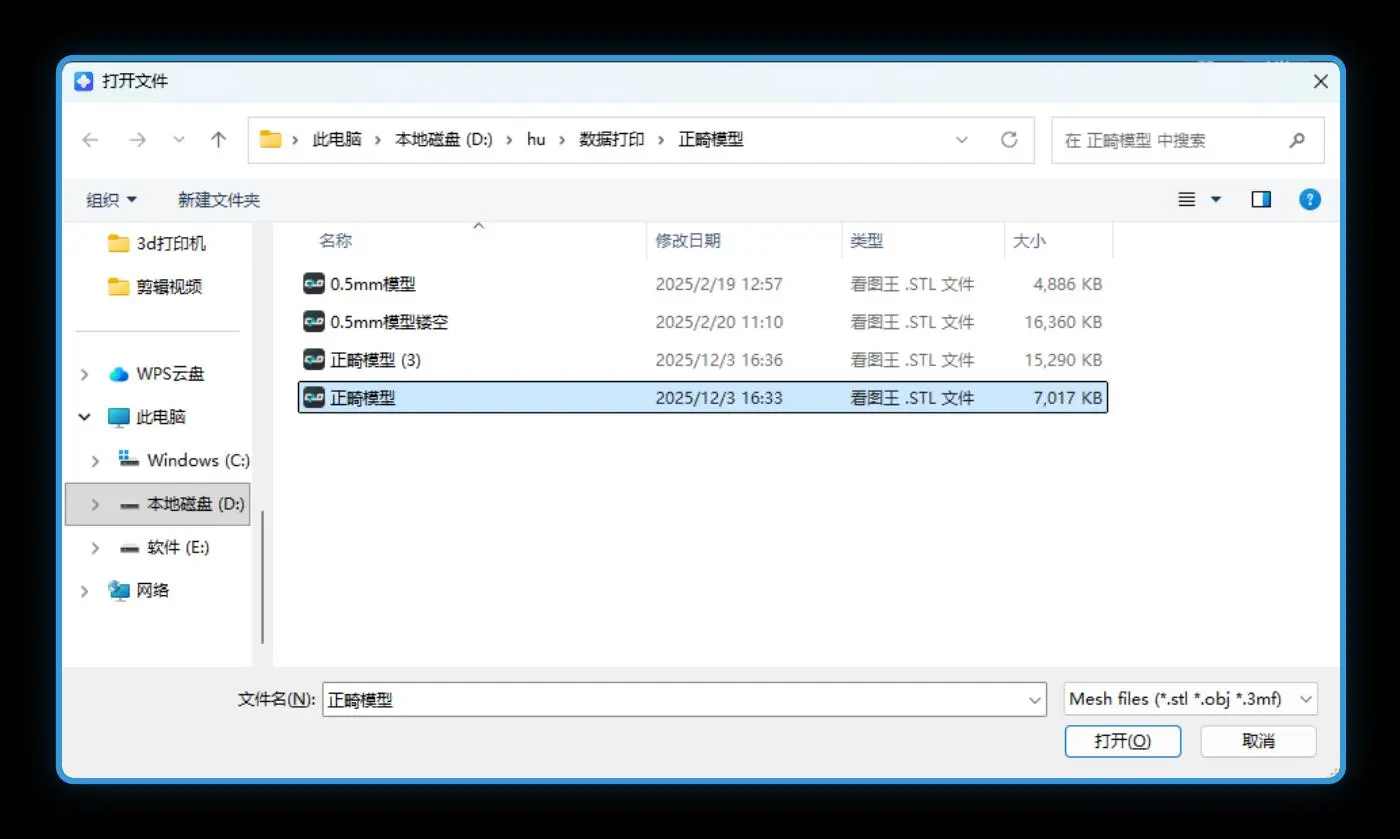
- Import the model: use the slicer’s File > Import menu (e.g., CHITUBOX) to bring the file in.
2.2 Four Slicing Steps (CHITUBOX example)
- Select the printer: choose the exact model you will print on — a mismatch causes a resolution error and prevents printing.
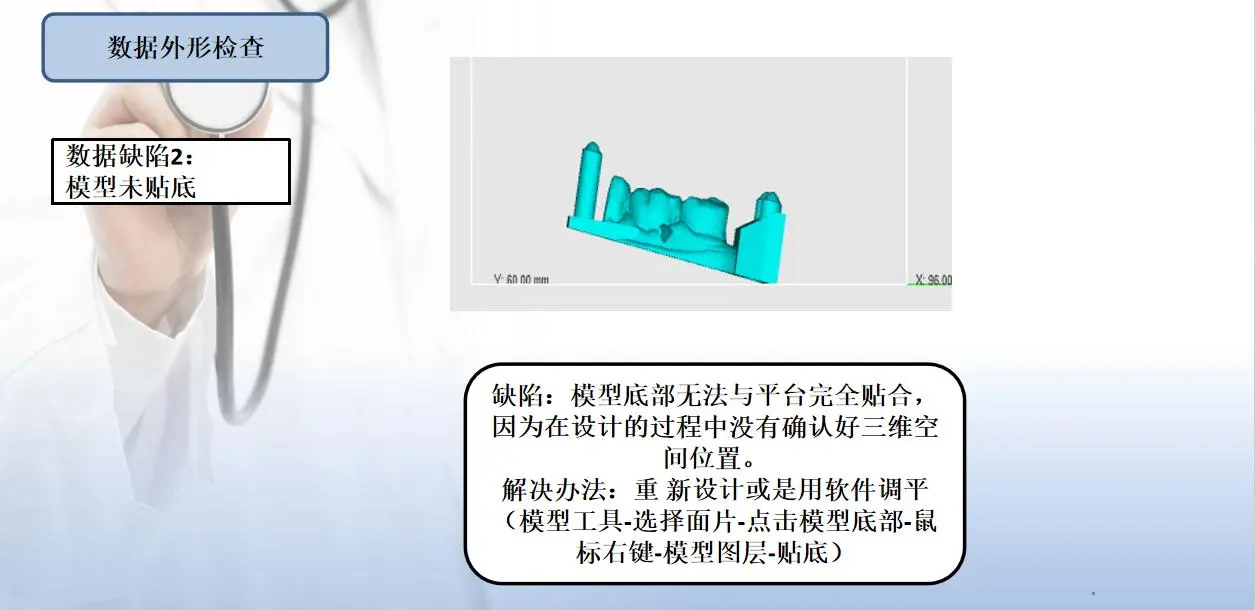
- Orientation: reduce overhang area and keep the largest face parallel to the platform for better adhesion, while protecting critical surfaces.
- Add supports: the face that must stay smooth should face up. For example, a removable denture’s gum-contacting surface must be smooth, so face it up and add supports automatically or manually on the reverse side.
- Set exposure parameters: adjust bottom and normal exposure to the resin’s characteristics; layer thickness is fixed at 0.05 mm.
2.3 Placement & Support Essentials for Dental Parts (Details)
- Tilt crowns, bridges, and slender parts 25–45° to reduce cross-section per layer and lower peel stress.
- Keep critical fit surfaces (margins, intaglio) away from supports and facing away from the platform to reduce support-mark impact on seating.
- Angle flat surfaces so they don’t trap resin or form adhesion with the release film (the ‘suction-cup effect’).
- Slightly tilt models’ occlusal surfaces to avoid flat-layer suction and pixel stair-stepping on anatomy.
- Support type by material: use medium supports for elastic resins and thin supports for high-hardness products.
- Support density: keep it between 55–68%.
- Support layout: densify and thicken at load-bearing and overhang areas, use fine contact tips on delicate features, and leave a small gap between support and model for easy finishing.
- Model resin products: no supports needed — just add an internal lattice structure. When printing in volume, adding many supports can let them fall into the vat and scratch the LCD screen and release film.
- Elastic resin parameter tip: success rates are high; set lift speed to about 60–80 and extend the light-off (rest) time by 3–6 seconds.

2.4 Export the Sliced File
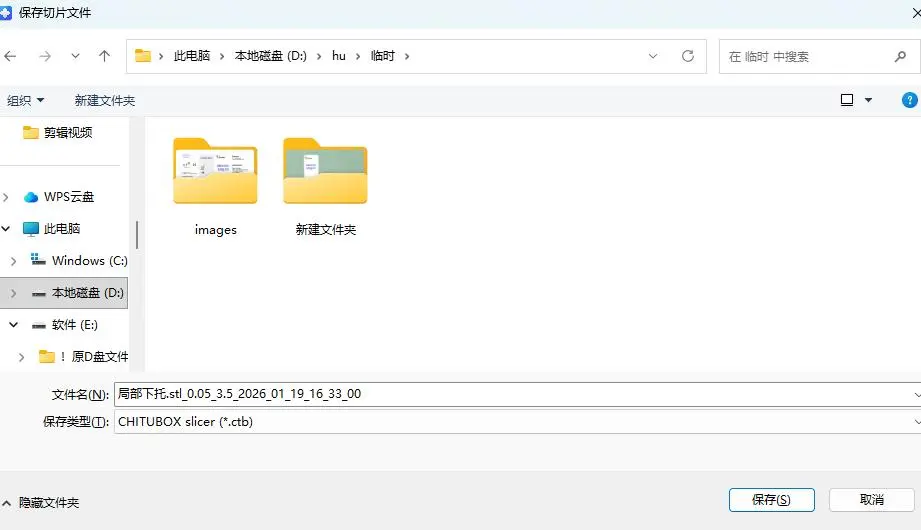
Click Export to save the sliced file to a USB drive. Use the printer’s original USB drive for best compatibility; large-capacity or third-party drives may not be recognized.
Part 3 · Pre-Print Setup

3.1 Protective Measures
- Mask: wear a mask when entering the print area to avoid inhaling resin vapors.
- Gloves: photocuring resin irritates skin — always wear disposable nitrile gloves.
- Safety glasses: wear safety glasses to prevent resin splashing into the eyes when removing models.
3.2 Pre-Print Checks (Item by Item)
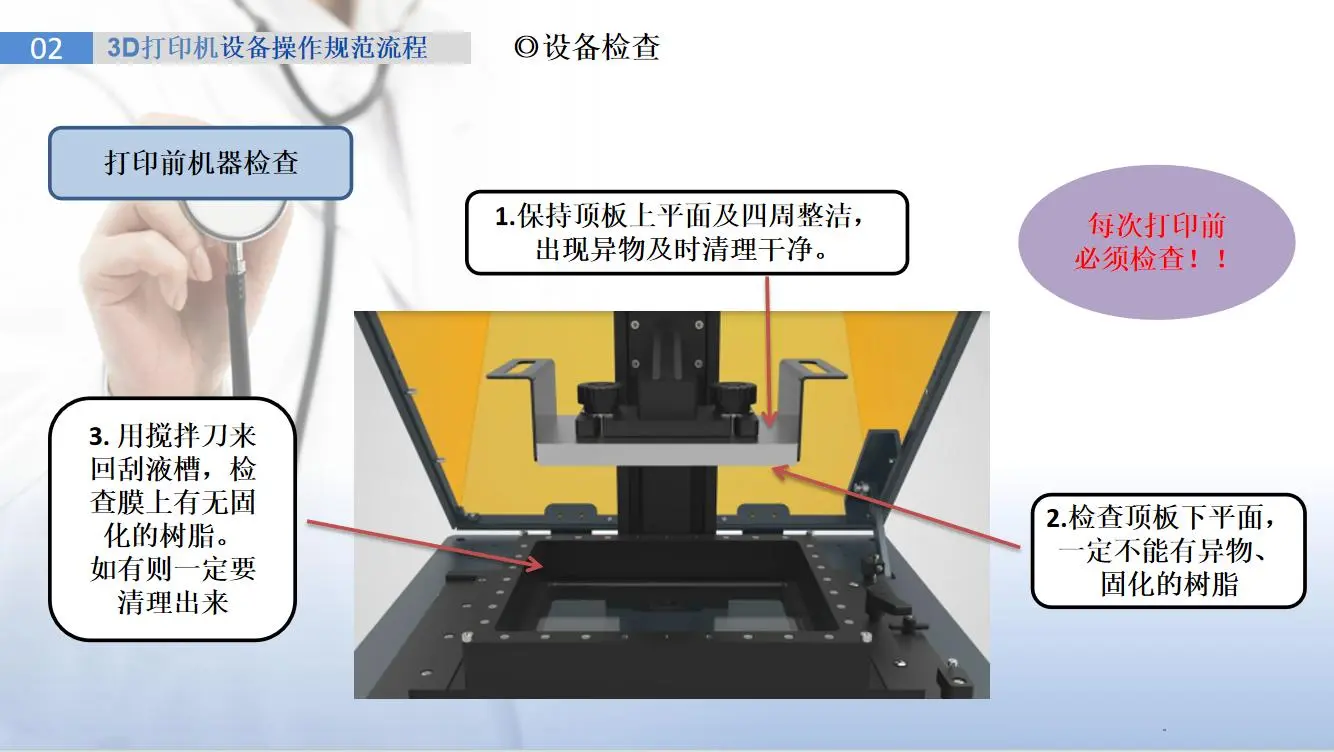
- Platform: flat surface, no residual cured resin; remove residue with a scraper and check leveling.
- Glass screen / release film: no debris, dust, scratches, damage, or leaks; clean or replace if present.
- Resin vat: properly seated, screws tight, no leakage.
- Environment: stable room temperature (20–25 °C recommended), avoid direct cold drafts causing local temperature differences; and keep away from direct sunlight to prevent premature resin curing.

3.3 Resin & Equipment Preparation
- Choose the resin: pick the right resin for the job (surgical guide, orthodontic, clear, etc.).
- Shake the resin: shake gently left-right before use to fully mix pigment and resin and reduce settling.
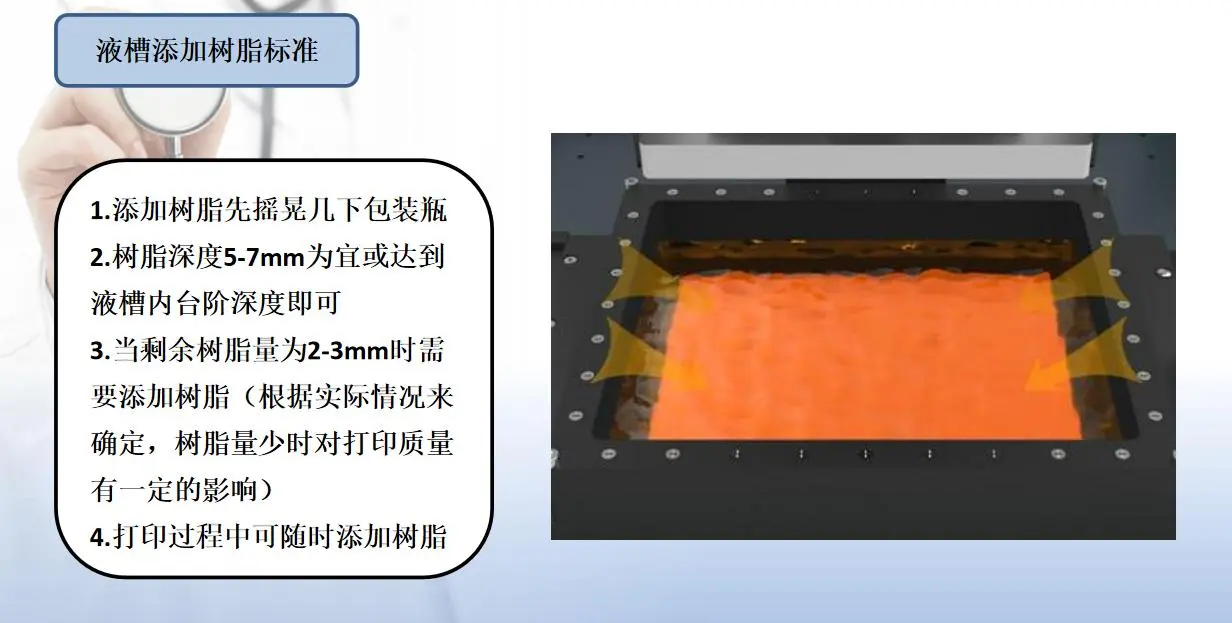
- Pour slowly: pour slowly along the vat edge to avoid bubbles — bubbles cause uneven exposure and failures.
- Watch the level: keep the level between MIN and MAX; never exceed MAX to avoid overflow.
3.4 Start Printing
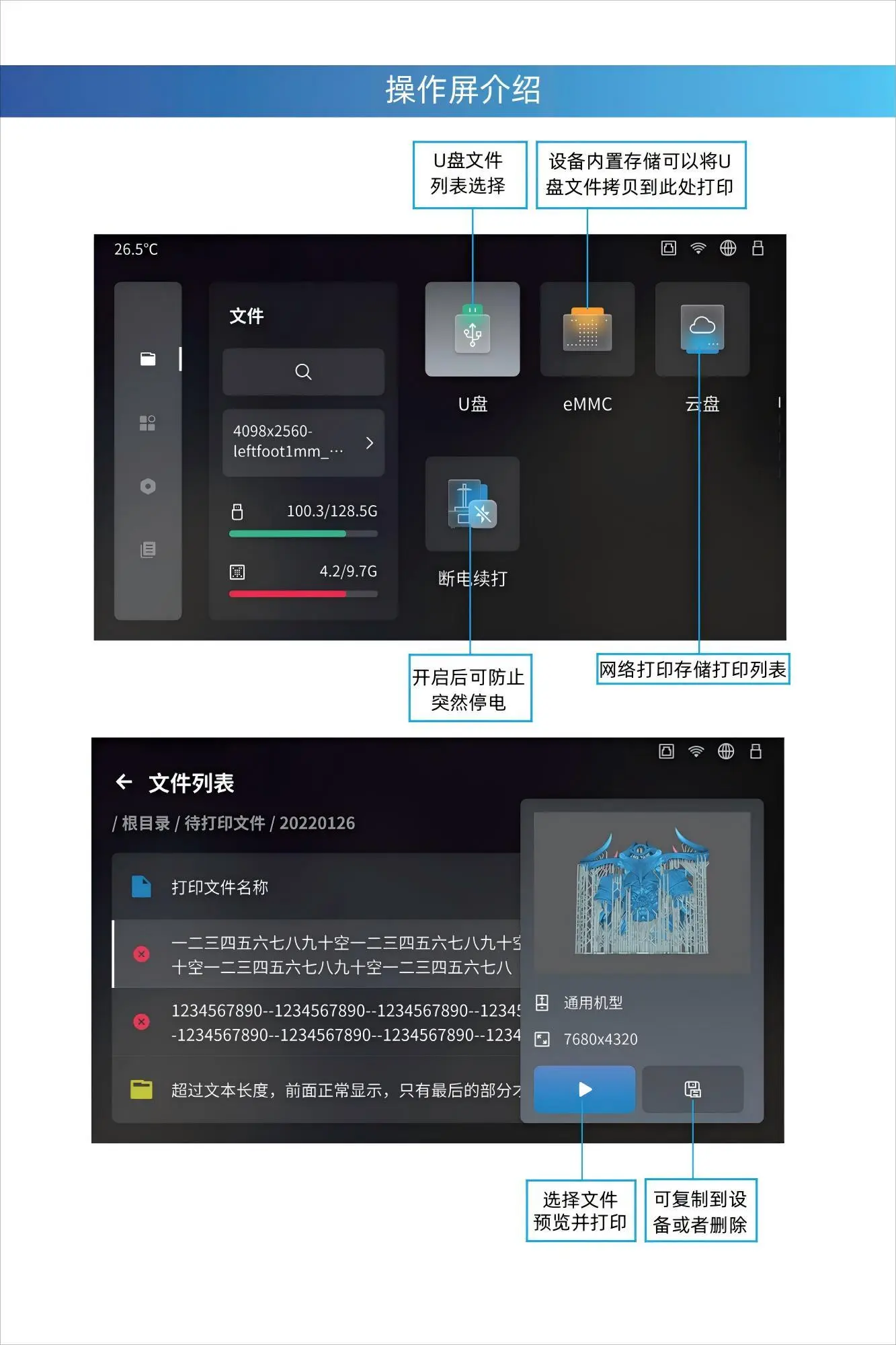
- Insert the USB drive containing the print file into the printer’s USB port.
- On the touchscreen, use the file manager to find and select the print file.
- Recheck the resin level and platform, then tap Start Print.
3.5 Common Setup Issues
- USB drive not recognized: usually a poor connection — reinsert and confirm it isn’t loose.
- ‘Resolution mismatch’ error: the printer selected during slicing doesn’t match the actual machine — keep them identical.
- Failure mid-print: do not shake the table; the USB drive can loosen and interrupt the job.
- Compatibility: prefer the printer’s original USB drive; other drives may not be recognized.
Part 4 · Equipment Settings & Printing Parameters
4.1 Exposure Calibration (Test-Block Method)
Exposure time need not be guessed — calibrate it with a standard test block. Using a standard 4 mm test block as an example:
- If a 2.5s single-layer exposure yields a test block smaller than 3.96 mm — exposure is too low; increase single-layer exposure in 0.5s steps.
- If a 2.5s single-layer exposure yields a test block larger than 4.02 mm — exposure is too high; decrease single-layer exposure in 0.5s steps.
Adjust gradually until the test block falls within the 3.96–4.02 mm passing range, then set the production single-layer exposure accordingly.
4.2 Layer Thickness
50 µm (0.05 mm) is the dental standard, balancing speed and accuracy. Drop to 25–30 µm only when marginal fit or fine occlusal detail demands it, accepting longer print times. Thicker layers leave visible stair-stepping on curved surfaces.
4.3 Bottom / Transition Layers
Bottom layers anchor the model to the platform; typically 5–8 layers with longer bottom exposure, then a gradual transition to normal exposure to avoid over-curing and brittleness in the first layers. Insufficient bottom layers is a leading cause of detachment.
4.4 Post-Curing
Post-curing completes polymerization, bringing the resin to its final strength, hardness, and biocompatibility. First clean and dry thoroughly, then cure in a UV chamber at the manufacturer’s recommended time and temperature (commonly 1–3 minutes, flipping every half minute); some materials require post-curing at about 60 °C for best performance. Under-curing leaves residual monomer and reduces biosafety; over-curing makes parts brittle and yellowed. Always follow the resin’s IFU.
4.5 Orientation
- Tilt crowns, bridges, and slender parts 25–45° to reduce cross-section per layer and lower peel stress.
- Keep critical fit surfaces (margins, intaglio) away from supports and facing away from the platform.
- Angle flat surfaces to avoid trapping resin or forming adhesion with the release film.
4.6 Support Strategy
- Support load-bearing and unsupported areas; avoid placing supports on visible or fit-critical surfaces.
- Use finer contact tips on delicate features and thicker supports on heavy overhangs to prevent flexing during peel.
- Use enough supports to resist peel force, otherwise overhangs warp or tear away mid-print.
- Leave a small gap between support and model for easy finishing and fewer marks.
4.7 Peel Force
Peel force is the resistance when a cured layer separates from the release film (LCD) or vat (SLA); it rises with cross-sectional area and layer count. You can effectively reduce it by lowering the cross-section per layer (via orientation), keeping resin temperature stable, and avoiding large flat areas that create suction. The slicer’s peel/separation parameters adjust how fast the platform lifts away — slower separation means lower peak force.
4.8 Lift & Retract (Lift Speed)
- Lift speed: Slower reduces peel force and protects delicate features; faster shortens time but risks tearing.
- Retract speed: Can be faster than lift, but too fast traps bubbles; allow a short rest before the next exposure so resin settles.
On DLP / LCD printers, a two-stage lift (slow breakaway, then fast travel) is a reliable way to balance speed and success rate.

4.9 Parameter Downloads
Don’t reinvent validated settings. Download the Zonmed PRS parameter guide matching your printer brand and resin, load it into your slicer, and adjust only small variables. Per-brand guides cover Ackuretta, Anycubic, ASIGA, Creality, Dekema, Dentafab, Dreve/Otoplastik, Elegoo, Flashforge, Formlabs, HeyGears, NextDent, Phrozen, RapidShape, Rayshape, Shining3D, SprintRay, Uniformation, and UNIZ. Access our parameter download center for direct PDF sheets.
Part 5 · Print Process Monitoring
- Continuous monitoring: check every 30 minutes once printing starts.
- Watch the first layers: a perfect first layer is half the battle — ensure it adheres tightly to the platform.
- Watch the resin level: top up promptly to avoid starvation and missing layers.
- Handle anomalies: if the print detaches, pause immediately, diagnose the cause, then restart.
Part 6 · Post-Processing
6.1 Removing the Model & Cleaning the Platform
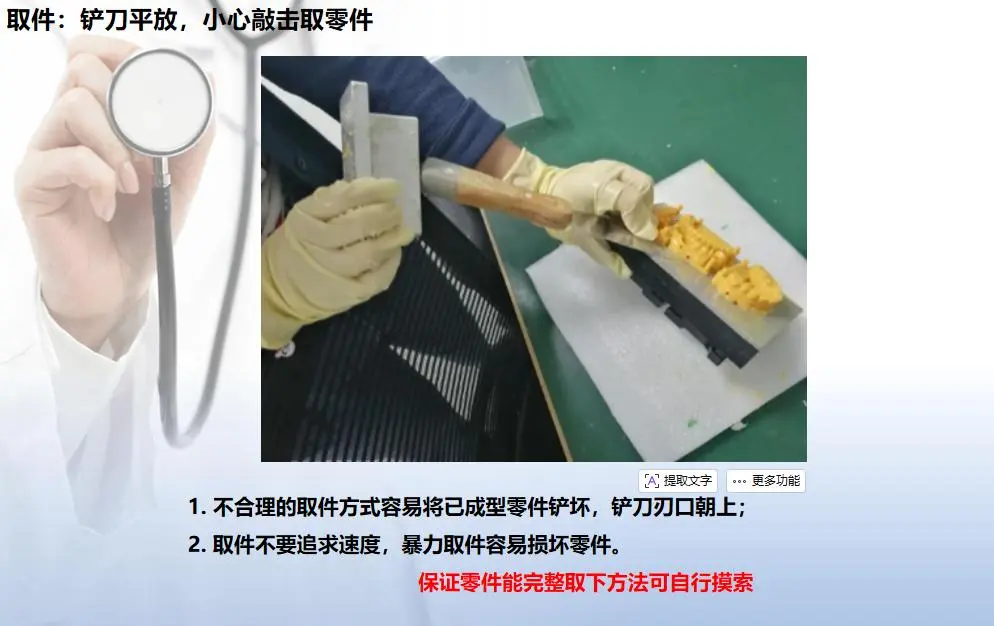
- Remove the model: insert a metal scraper at the edge and peel evenly and slowly; you may tap the scraper handle with pliers — never use brute force.
- Clean the platform: scrape off residual resin on the platform with the metal scraper.

6.2 Model Cleaning
- Alcohol soak: place the model in 95% industrial alcohol to dissolve uncured surface resin (water-washable model resin can be rinsed with water).
- Two-stage cleaning: use two containers of alcohol and clean twice — the first pass removes most uncured resin, the second rinses with cleaner alcohol for a more thorough clean and a drier surface.
- Soak time: 1–2 minutes of simple hand cleaning removes most liquid resin and softens stubborn supports.
- Remove supports: gently snap or cut supports at their base by hand or with needle-nose pliers.
- Ultrasonic cleaning: clean in an ultrasonic cleaner for 1 minute for the best result.
- Air-blow dry: blow-dry the model and check for dryness; if still tacky, run a second ultrasonic clean.
6.3 Final Curing
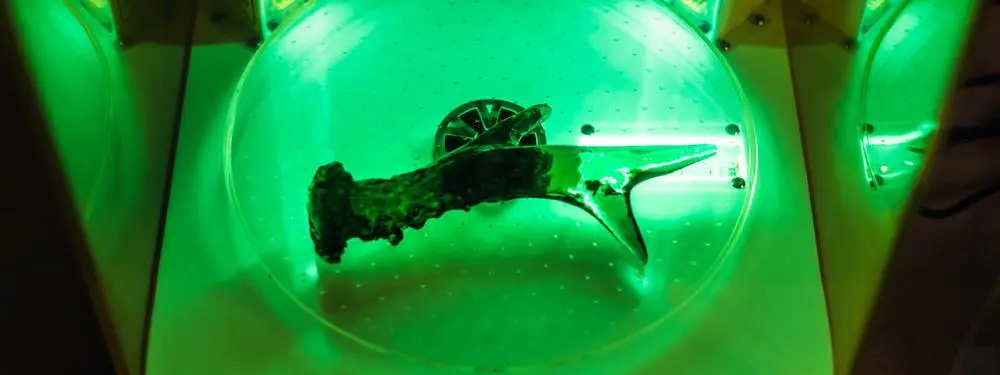
Place the cleaned, finished model in the UV curing chamber and set 1–3 minutes; flip the model every half minute to ensure every surface is exposed. Curing markedly enhances strength, hardness, and chemical stability, completing the final part.
6.4 Sanding, Coloring & Glaze Oil
- Sanding: work from coarse to fine grit to reduce scratches; avoid over-sanding load-bearing parts.
- Coloring: use the matching Polymer Stain (18 colors) for custom layered shading on temporaries and bases.
- Glaze oil: use Polymer Glaze Oil on load-bearing/esthetic parts for gloss and wear resistance; use Soft Glaze Oil on transparent flexible parts for clarity.
Part 7 · Print Failure Handling & Troubleshooting
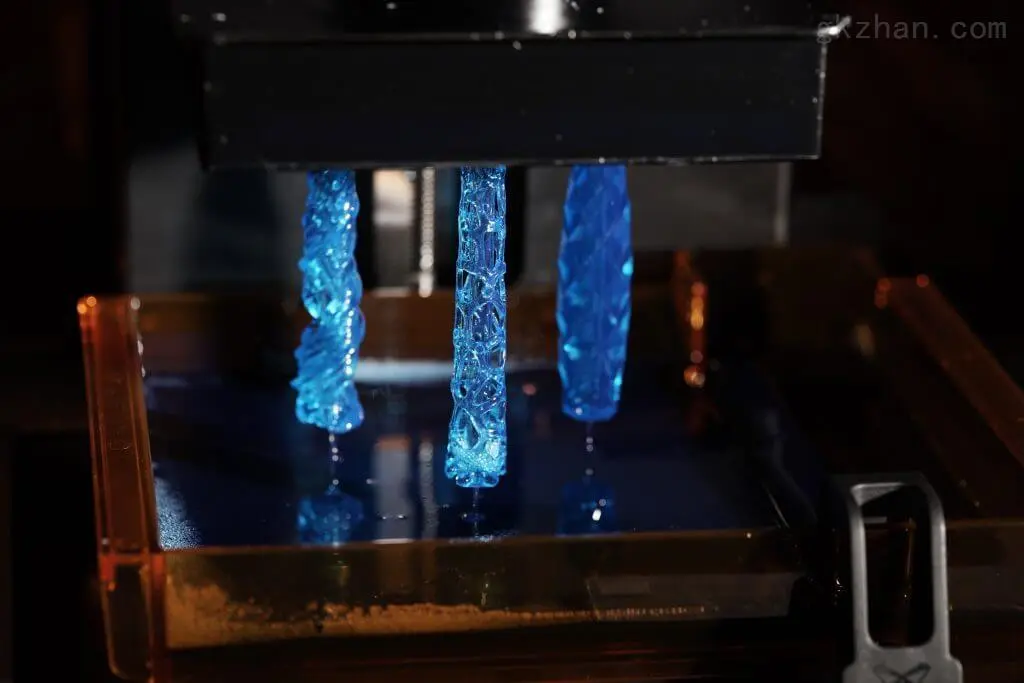
7.1 Failure Analysis & Cleanup
- Remove the failed model: insert a metal scraper at the edge and peel evenly and slowly; you may tap the scraper handle with pliers — never force it.
- Identify the failure type: first check external factors — whether the release film and LCD screen have dust, stains, damage, or leaks; clean or replace the film if so. Then check whether the ambient temperature is too low; if so, increase bottom and single-layer exposure.
7.2 Two Types of ‘No Cured Resin’ on Platform / Vat
- No cured resin in the vat: light-source fault — do an A4-paper exposure test; if the light is weak or uneven, replace the printer screen. File problem — if the light is fine, check whether the sliced file is corrupted.
- No cured resin on the platform: platform not level — use A4 paper to check platform level; if the four corners’ pull differs, level it and tighten the screws. Damaged release film — inspect the film; obvious scratches or tears require replacement.
- Insufficient exposure: increase bottom exposure (about +5s), increase lift distance (5–8 mm), and reduce print speed slightly.
- Incomplete model / missing layers: increase support density, and slightly extend single-layer exposure (+1s) or reduce print speed.
- One-sided non-printing: check whether the release film is scratched or damaged, whether the platform is level, and whether the LCD screen is clean.

7.3 Common Issues & Analysis
| Issue | Root cause | Solution |
|---|---|---|
| Flash/debris on the dental model, or residue at the vat bottom | Impurities in the material scatter light | Replace the printing material |
| Blurry light path / vat scatters light | Clean the light path; check the release film for oil and dust | — |
| Burrs on parts / localized roughening in die holes or on the bottom | Localized roughening in die holes / on the part bottom | Add vent holes; check the release film |
| Damaged release film / LCD screen | Inspect and replace the release film / LCD screen | — |
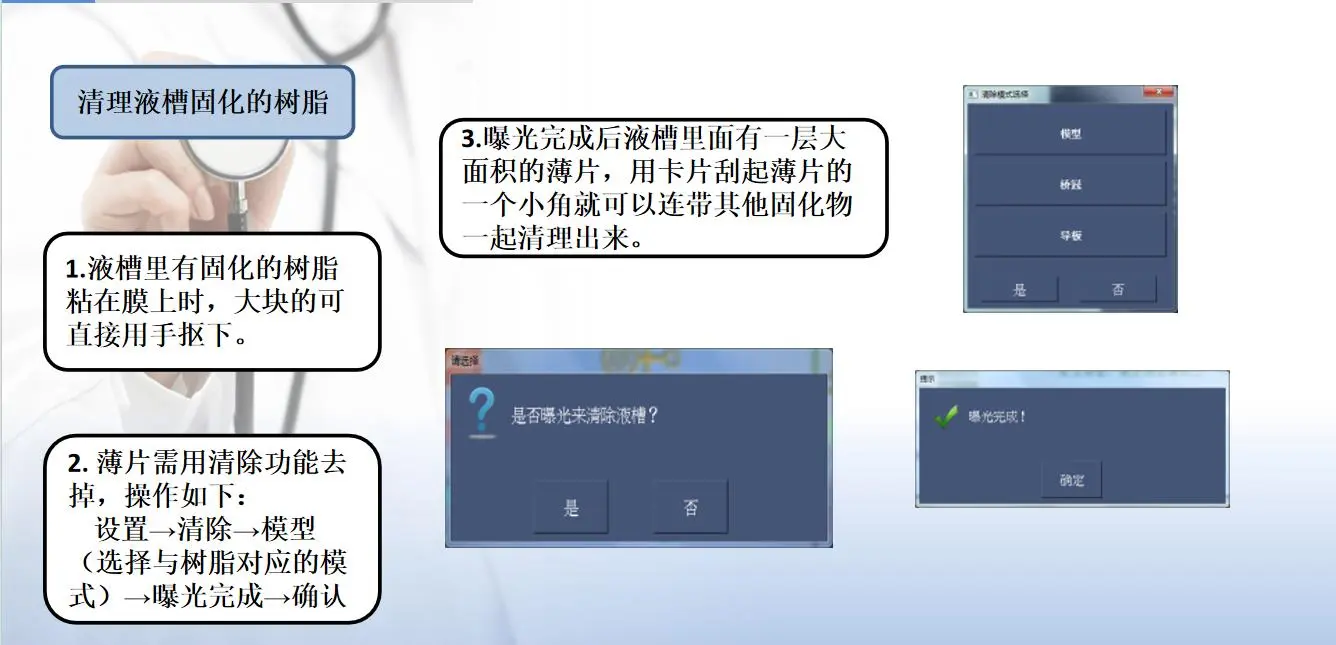
| Cured resin residue at the vat bottom before printing | Leftover cured resin from the previous print | Exposure clean; use the one-touch clear function |
| Cured resin residue on the platform before printing | Platform not cleaned thoroughly | Scrape off residual cured resin with a scraper |
| Print detaches or partial warping during printing | Platform not level; excessive gap between platform and vat | Re-level the platform |
| Print parameters need adjustment | Increase bottom exposure time | — |
| Bottom plate too smooth | Roughen it with sandpaper | — |
| Vat-related cause | Check release-film wear inside the vat | — |
7.4 Clean the Vat & Reprint
- Clean the printing platform and discard the waste part.
- Run an exposure clean (exposure test / vat clean — names vary by machine).
- Set exposure to 15s; after exposing, discard the cured resin: use a plastic scraper or your fingers to lift the four corners of the cured resin and peel the cured layer out; be careful not to tear the release film.
- Enter the new exposure parameters, run the print flow, and reprint.
Part 8 · Release-Film Maintenance & Equipment Care
8.1 Cleaning the Release Film
- Prepare materials: a resin bottle and a sheet of filter paper.
- Recover resin: pour the remaining resin back into the bottle through the filter paper.
- Clean the vat: wipe the vat’s edges and interior with a paper towel.
- Clean the release film: spray alcohol on the back of the release film and wipe in one direction with a lint-free cloth (never scrub back and forth); you may also use dish soap — be careful not to scratch, then blow-dry with an air gun.
- Reinstall: put the cleaned vat back into the printer.
8.2 Replacing the Release Film
- Remove the vat: take the vat off the printer, flip it, unscrew the screws, and separate the frame from the base plate.
- Clean residue: thoroughly clean residual resin from the frame edges with an alcohol-dampened paper towel.
- Install and trim: remove the protective film, lay the new film centered on the frame (the side that curls inward faces up inside the vat — do not install it backward); replace the base plate and tighten the screws (tighten the four corners first, then the rest), and trim the excess film with a utility knife.
- Reinstall: put the re-filmed vat back and tighten the screws.

8.3 Routine Equipment Care
- LCD screen / light source: clean regularly to prevent cured resin from blocking the light path; repair promptly if dark areas or unevenness appear.
- Platform & Z-axis: periodically remove residue, check screw tightness and smooth operation to prevent layer lines and shifting.
- Vat & release film: check wear regularly by usage; clean or replace in time (the release film is a consumable).
- Environment: keep room temperature stable, clean, and light-shielded to extend resin and equipment life.
Conclusion & Quality Checklist
Consistent dental 3D printing is a complete chain: the right resin for the indication, disciplined slicing and setup, printer-specific parameter tuning, monitoring throughout, standardized post-processing, rigorous troubleshooting when issues arise, and regular release-film and equipment care. Run this full-workflow guide as your Standard Operating Procedure (SOP), and your lab or clinic will deliver clinic-ready parts consistently on every print. For any further inquiries or technical support, please contact our engineering team.
- Material: indication match + key performance metrics met + glaze/stain pairing.
- Slicing: matching machine + sound orientation + adequate supports + 0.05 mm layer.
- Setup: protection in place + platform/film/level checks + resin shaken.
- Parameters: exposure/base/curing per brand guide + finalized after testing.
- Post-processing: thorough cleaning + ultrasonic + support removal + flipping during cure + sanding/coloring.
- Acceptance: verify dimensions/fit/surface quality item by item, and record parameters for reproducibility.